PS5 Power Button: Complete Guide to Usage, Issues & Fixes
The PlayStation 5 (PS5) has revolutionized console gaming with powerful specs and a sleek design—but many users find themselves confused or frustrated by one seemingly simple feature: the power button. From struggling to locate it, to accidentally putting the console in rest mode, to encountering unresponsive button behavior, the PS5 power button has become a recurring topic across Reddit, support forums, and tech websites.
In this guide, we’ll break down everything you need to know about the PS5 power button—how it works, where it’s located, common issues users face, and how to fix them. Whether you’re a new PS5 owner or a long-time gamer running into technical difficulties, this comprehensive article is your expert resource.
What is the PS5 Power Button & Where is it Located?
One of the most confusing elements for new users is simply finding the PS5 power button. The minimalist design of the console hides it in plain sight.
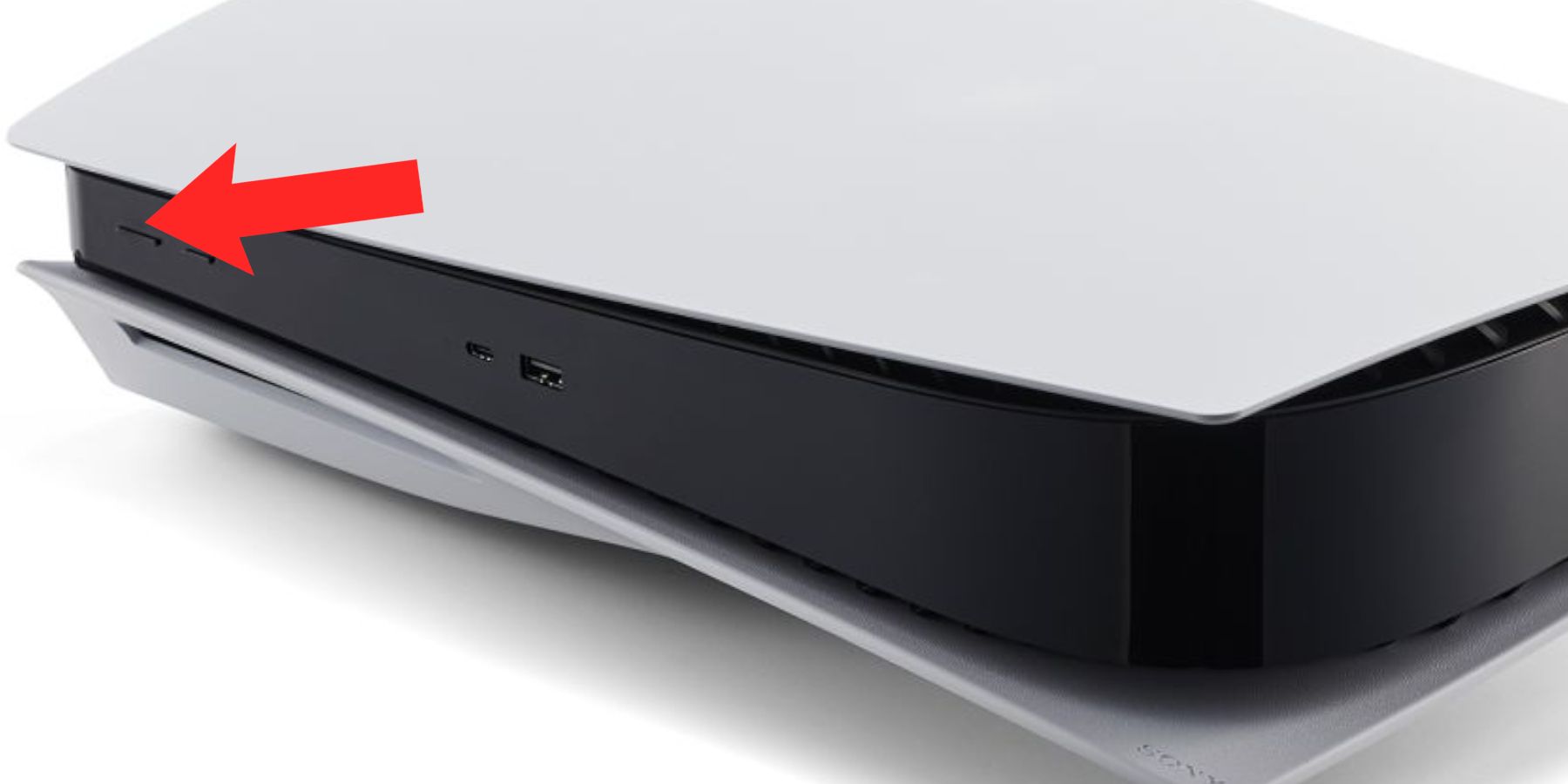
Location Overview:
-
On the Disc Edition, there are two buttons on the front:
-
Top Button (when vertical) is the Eject button
-
Bottom Button is the Power button
-
-
On the Digital Edition, there is only one button, which is the Power button
Both versions have touch-sensitive-style physical buttons that require a press (not tap or swipe).
Why Is the PS5 Power Button Confusing or Problematic?
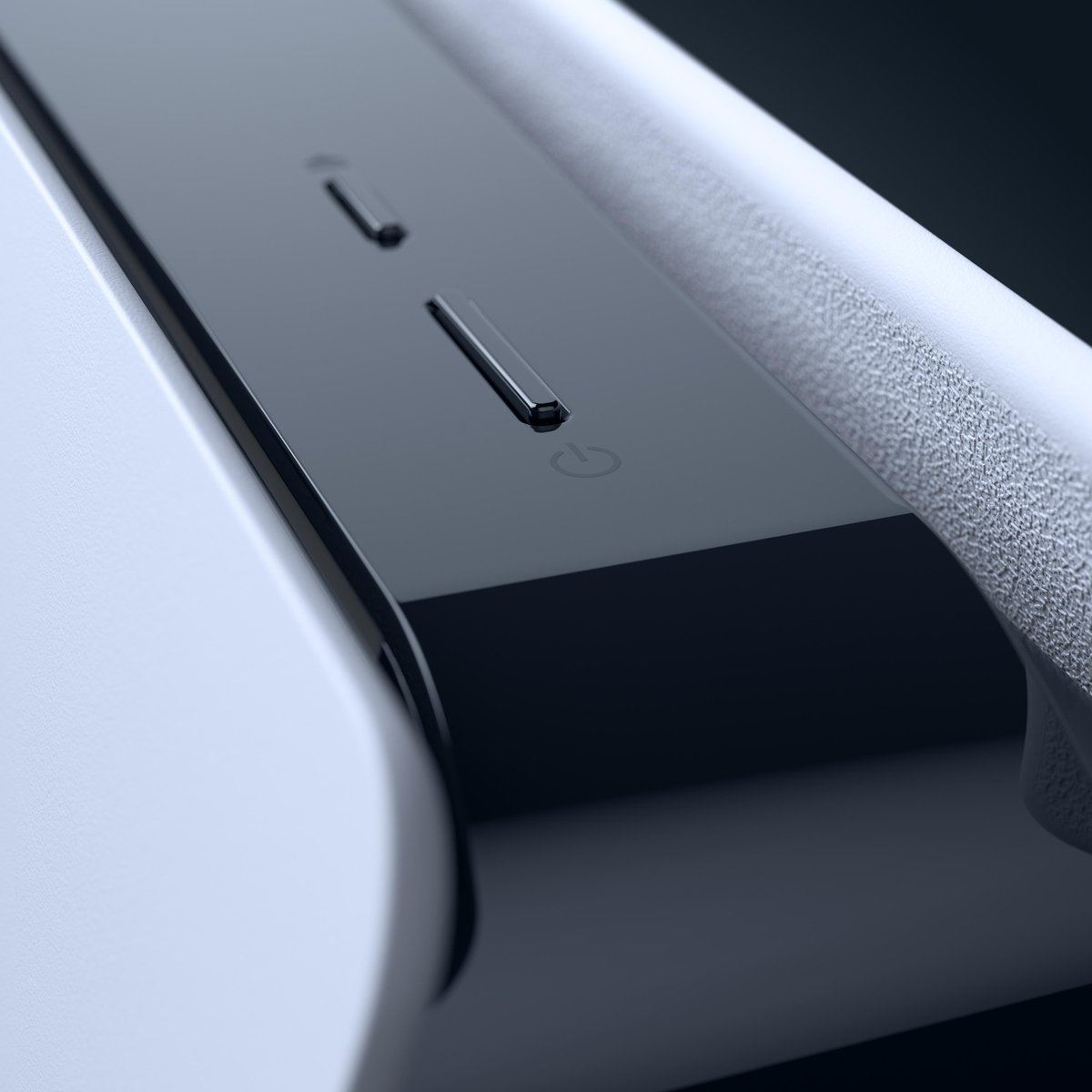
Despite being a basic feature, users often face trouble with the power button. Based on real Reddit threads, YouTube guides, and support forums, these are the top issues:
1. Poor Visibility & Unlabeled Design
Sony opted for a seamless design without text labels. Users often confuse the eject and power buttons or don’t realize the console has a button at all.
2. Accidental Activation
Some users unintentionally place their consoles in Rest Mode instead of shutting down, leading to power-saving conflicts or issues resuming games later.
3. Unresponsive Power Button
Reports show that, on occasion, the power button doesn’t respond immediately, particularly during software crashes or after firmware updates.
4. PS5 Won’t Turn On at All
In rare but critical situations, the PS5 becomes completely unresponsive, leading users to fear hardware failure—even when the button itself isn’t faulty.
Expert-Identified Causes Behind PS5 Power Button Issues
According to Sony Support, IGN, and Digital Foundry analysis, the following are the root causes of most PS5 power button problems:
-
User Misunderstanding (design confusion, accidental taps, or wrong press duration)
-
Rest Mode Glitches (causing power delays or boot issues)
-
System Software Bugs (especially after updates)
-
Faulty Internal Power Supply (rare, but mentioned in official repair documentation)
-
Overheating Protection (console won’t turn on to prevent damage)
-
Power Cord or Outlet Failure
Real User Experiences From Reddit & Support Communities
🔹 Redditor @NextGenGamer:
“My PS5 wouldn’t turn on no matter what I did. Held the power button for 10 seconds, nothing. Turns out it was just in Rest Mode and I panicked.”
🔹 User on PlayStation Forums:
“I kept pressing the top button on the Disc Edition, thinking it was the power button. Turns out I was just ejecting discs repeatedly…”
🔹 YouTube Creator SpawnPoiint:
“If your PS5 crashes mid-game and you try to power it on again using the button, it may take a few seconds longer. This delay is normal—it’s part of the safety shutdown sequence.”
How to Properly Use the PS5 Power Button
There are three main functions of the power button, depending on how long you hold it:
| Action | Duration | Result |
|---|---|---|
| Tap (Quick Press) | 1 Second | Enter Rest Mode |
| Hold | 3 Seconds | Shut Down |
| Hold | 10 Seconds | Force Shut Down (Hard Reset) |
Note: Using hard reset should be a last resort, especially if the system is mid-update or writing data.
Working Solutions for Common PS5 Power Button Issues
Based on troubleshooting steps shared on Reddit, Sony Help, and TechRadar, here are all known working solutions:
✅ 1. Use the PS Button on the Controller Instead
-
Press the PS button on your DualSense controller
-
Navigate to the Power icon > Choose “Turn Off PS5” or “Enter Rest Mode”
-
This method bypasses the physical button and ensures proper shutdown
✅ 2. Hold the Button Until Two Beeps
-
Press and hold the power button until you hear two beeps
-
The first beep confirms your press; the second confirms the shutdown command
This prevents mistakenly entering Rest Mode.
✅ 3. Check the Power Cord & Outlet
-
Ensure the power cable is securely connected
-
Test with a different wall outlet or surge protector
-
Try using the power cable from a PS4 (they’re compatible)
✅ 4. Avoid Using Rest Mode Frequently
-
Some users report that Rest Mode can cause boot-up issues
-
Consider disabling Rest Mode under:
-
Settings > System > Power Saving > Set Time Until PS5 Enters Rest Mode > Set to “Don’t Put in Rest Mode”
-
✅ 5. Reboot via Safe Mode
If your PS5 doesn’t respond to the power button:
-
Turn off PS5 completely
-
Hold the power button until you hear two beeps
-
Console will boot into Safe Mode
-
Select options like “Rebuild Database” or “Restart PS5”
✅ 6. Update the System Software
-
Connect to the internet
-
Go to Settings > System > System Software > System Software Update
-
Bug fixes in firmware updates often resolve power button responsiveness issues
✅ 7. Factory Reset (Last Resort)
-
Only use if all other methods fail
-
Backup your data to the cloud or external drive
-
Boot into Safe Mode and select “Reset PS5 (Reinstall System Software)”
Should You Worry If Your PS5 Power Button Doesn’t Work?
In most cases, no. It’s usually a user-side issue or temporary software hang. Hardware failure related to the power button is extremely rare, and Sony offers warranty support for such cases. You can also file a repair request via PlayStation’s official repair page.
Final Thoughts
The PS5 power button might be a small detail in Sony’s flagship console, but it’s caused more confusion and concern than expected. By understanding its proper usage, recognizing potential issues, and applying proven solutions, you can avoid unnecessary stress and protect your console’s longevity.
Have you had problems with your PS5 power button? Share your experience or solution in the comments below—your insights might help another gamer in need.